Bring your own storage
A desktop in your browser, on storage you own.
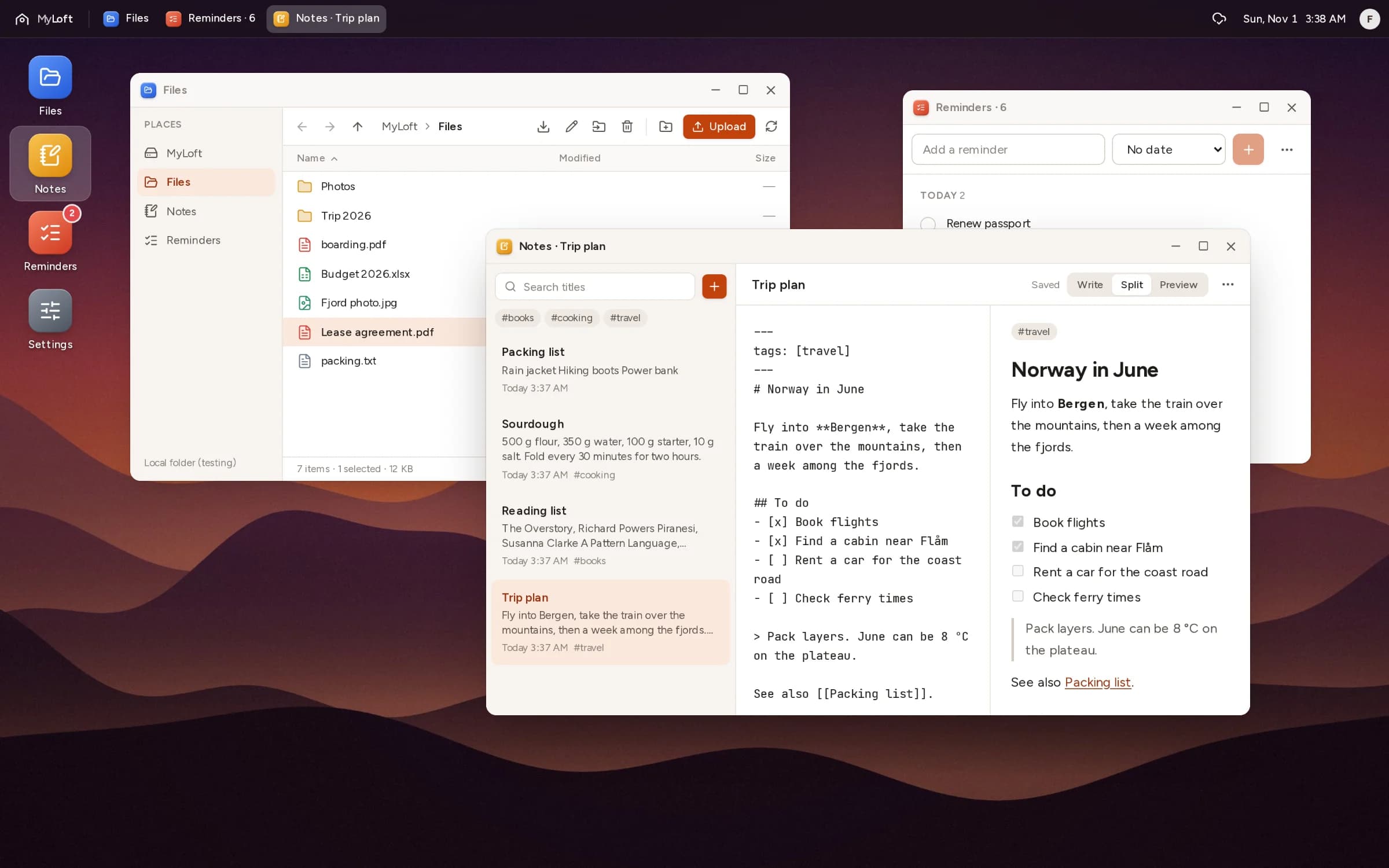
MyLoft puts Files, Notes and Reminders in movable windows, in any browser. Everything you make is saved to your own Dropbox as ordinary files, so it stays yours, and readable, with or without MyLoft.
MyLoft keeps your settings. You keep your data.
The service holds your account and preferences, nothing else. Notes, reminders and files go straight to your storage.
- 01
Connect your Dropbox
MyLoft gets one folder of its own, Dropbox › Apps › MyLoft, and can't see anything else in your Dropbox.
- 02
Work in windows
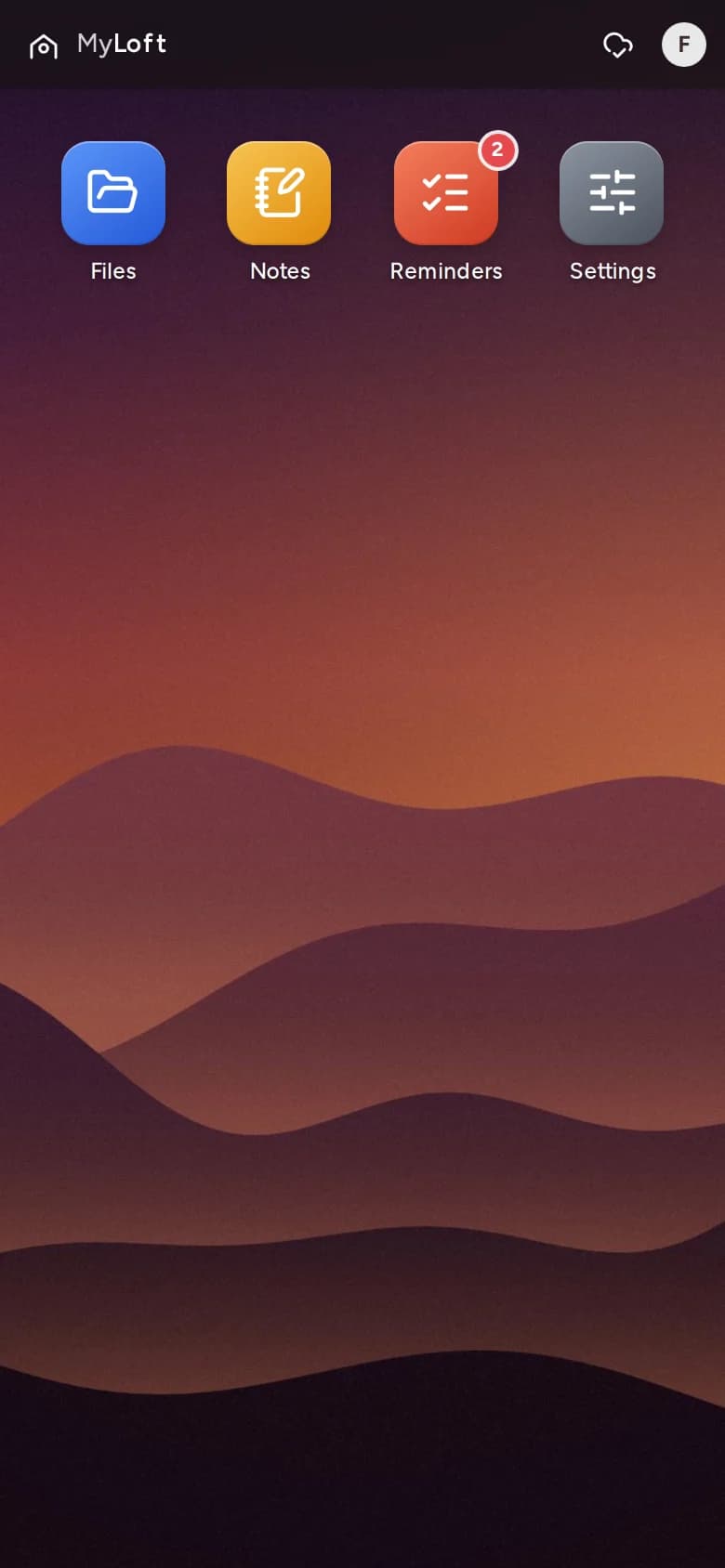
Drag, resize and stack apps as you would on a computer. On a phone, MyLoft shows one app at a time.
- 03
Open your files anywhere
Notes are Markdown, reminders are small JSON files, uploads stay exactly as they were. Any app can read them.
In your Dropbox
Apps/MyLoft/
├── Files/
│   ├── Lease agreement.pdf
│   └── Photos/
├── Notes/
│   └── Trip plan.md
├── Reminders/
│   └── pay-electricity-a1b2c3.json
└── README.md
Notes/Trip plan.md
---
tags: [travel]
---
# Norway in June

Fly into **Bergen**, then a
week among the fjords.

- [x] Book flights
- [ ] Rent a car
Reminders/pay-electricity-a1b2c3.json
{
  "id": "a1b2c3",
  "title": "Pay the electricity bill",
  "due": "2026-11-02",
  "completed": false
}
Four apps to start with.
Files
Upload, preview, move and rename. Photos, PDFs and text files open right in the window.
Notes
Markdown with a live preview, tags and [[links]] between notes. Your Notes folder works as an Obsidian vault.
Reminders
Due dates, quick add, and a badge on the desktop when something is due.
Settings
Your storage connection, your password and your wallpaper.
On the way: Calendar, Photos and Videos, and more places to keep your files, including S3, Google Drive, WebDAV and SFTP.
On your phone, too.
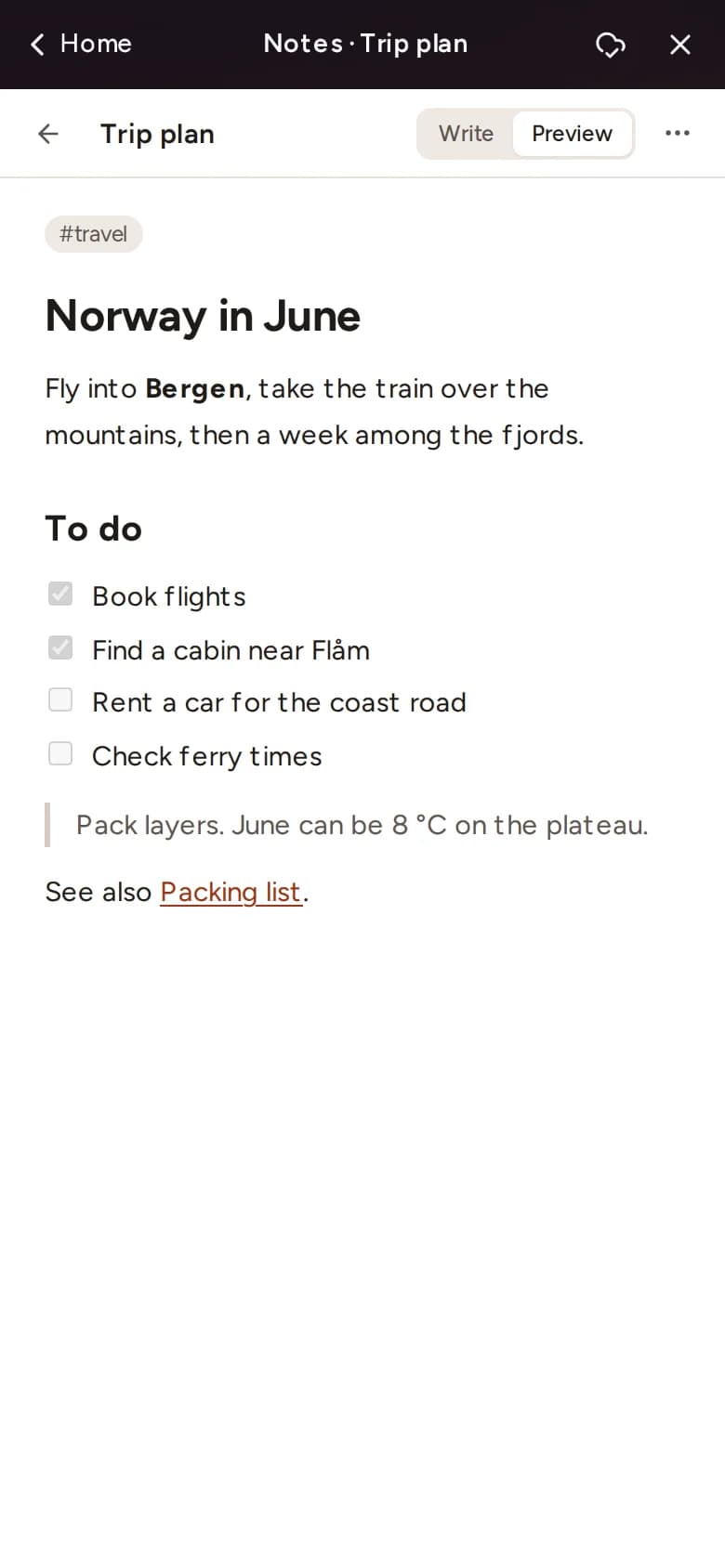
On a small screen MyLoft shows one app at a time, full screen, with a way back to your apps. Same files, same notes, nothing to install.
Leave whenever you like.
There's nothing to export. If you stopped using MyLoft tomorrow, your folder would still be in your Dropbox, in formats any app can read.
Request access
MyLoft is opening to a few people at a time. Tell us a little about yourself and we'll be in touch.